FS-Portal.euFS-Portal.euMod Catalog

In catalog

16,417

Farming Simulator versions

Mods

Categories

Useful things

883 mods

Browse 883 FS25 mods in Useful things with direct links to each mod page.

0
Bank And Credit

Bank And Credit

Gallery Description FS25 Bank And Credit Bank & Credit adds a fractional-reserve bank to Farming Simulator 25. Borrow money, manage your debt and grow your credit capacity by farming. The bank is a standalone virtual entity with its own equity, funded by the interest it collects. Credit is not granted automatically: it is evaluated based on your income and assets. Features: – Three loan types: Annuity (fixed monthly payment), Bullet (interest-only, full principal at maturity), Revolving (draw and repay freely, no fixed term) – Revolving: 1%/year commitment fee on the undrawn portion; voluntary closure when balance is zero – Credit scoring via DSCR (12-month decay-weighted income history) and LTV (asset liquidation value with per-category haircuts) – Five risk levels: LOW / MODERATE / HIGH / CRITICAL / REFUSED – transparent rate breakdown and explicit refusal reasons – Risk surcharges on top of base rate: LOW +0%, MODERATE +0.75%, HIGH +2%, CRITICAL +5% – CRITICAL applications are auto-capped at 50% of the requested amount (the bank still lends, but at a reduced size) – Asset haircuts by category: farmland 70%, livestock 60%, buildings 55%, inventory 50%, tools 50%, tractors 40%, cash 30% – Borrower limit: liquidated asset value plus 24-month income projection, minus existing outstanding debt – Concentration cap: a single farm cannot exceed 25% of the bank’s total lending capacity – Loan detail view: full amortisation schedule (Annuity, Bullet) or draw and repayment panel (Revolving) – Bank health dashboard: equity, leverage ratio, outstanding portfolio, internal loss reserve (not player-loan reimbursement), coverage ratio – Annual financial report per farm – Base rate with mean-reversion, updated quarterly (1% – 12%, configurable anchor) – Type spreads: Annuity +0%, Bullet +0.75%, Revolving +5% – Early repayment on Annuity and Bullet loans: full or partial by number of months (configurable penalty 0% – 5%) – Settings (in Game Settings): starting capital (100 k€ – 5 M€), leverage ratio (5x – 20x), base rate, dynamic rate, early repayment penalty – Separate Interest and Principal entries in the Finance tab – Solo and multiplayer: in multiplayer, bank equity and portfolio are shared server-side across all farms – Compatible with FS25_Invoices: invoice income counts in DSCR history – Compatible with FS25_RedTape: subsidy and grant income counts in DSCR history Important: this mod replaces the vanilla loan system. Any vanilla loan balance is automatically cleared at game start. Issues & suggestions: https://github.com/Squallqt/FS25_BankCredit Access via the dedicated tab in the InGame Menu (ESC). Credits Squallqt

Published: May 15, 2026

Downloads: 0Ratings: no votes yet.
0
Crop Destruction Outside Fields

Crop Destruction Outside Fields

Gallery Description FS25 Crop Destruction Outside Fields Crop destruction no longer stops at field borders. Vehicles can also damage supported grass and meadow foliage on field edges, meadows, yards and other non-field areas. The mod automatically adds the required meadow wheel-destruction behavior on maps where it is missing. Ideal in combination with mods that enable crop destruction on all fields, such as FS25_cropDestructionAnywhere. Credits [Weekend Farmers]

Published: May 15, 2026

Downloads: 0Ratings: no votes yet.
0
Animal Food Calculator

Animal Food Calculator

Gallery Description FS25 Animal Food Calculator v1.1.0.2 The Animal Food Calculator (AFC) enhances animal husbandry in FS25 by providing significantly greater clarity and control. In the animal menu, the mod not only displays estimated daily and annual consumption but can also depending on the settings adjust the actual in-game values to the selected reference and scaling. It supports food, water, and straw, as well as output values such as milk, manure, slurry, and pallet output. In the EnhancedAnimalSystem, AFC takes lactation factors into account for supported animals so that the display and calculations better align with the enhanced animal systems. AFC can read its values from various sources: – from the base game, – from the map, if a custom animals.xml is built in, – from the FS25_AnimalPackage_vanillaEdition by BavarianRedneck – from a custom animals.xml within the mod. Easily switch modes ingame in the game settings under Animal Food Calculator The modes explained: 1. Reference Source The reference source determines which animal data AFC uses as a basis. So the question is: Which values should apply? – Basegame: AFC uses the animal values from the base game. Good for players who want to stay as close as possible to the standard LS. – Map: AFC uses the animal values from the currently selected map, provided the map includes its own animals.xml file. Good for mod maps with their own animal balancing. – AnimalPackage: AFC uses the values from the installed FS25_AnimalPackage_vanillaEdition. If the mod is active, it takes precedence and may override other sources. – Custom: AFC uses the mod’s own animals.xml as a reference. This is the right choice for custom balancing or adjusted values. 2. Scaling Mode The scaling mode determines how much the input and output are additionally adjusted. So the question is: Should the values simply be adopted, or should they be scaled as well? – Basegame: Scaling is off. AFC displays values and operates without additional scaling. The multiplier is effectively set to 1.0, and the number of days is not factored in separately. – Auto: AFC scales automatically based on the set number of days per month, but without an additional multiplier. This is useful if you want the values to grow automatically with your time system. – Manual: AFC scales only using your set multiplier. The number of days per month is not automatically factored in here. Good if you want full manual control. – Hybrid: AFC combines both, scaling based on days per month plus an additional custom multiplier. This is the most flexible mode for balancing and gameplay. 3. Multiplier The multiplier is an additional factor for AFC scaling. The menu offers fixed levels ranging from 0.25x to 10.00x. It is only active in Manual and Hybrid modes. **CHANGELOG 1.1.0.0** – All animalbarn inputs and outputs are now displayed – New modes for selecting the data source – Consumption values can now be read and set from different sources depending on the mode – Improved support for additional animal subtypes from mods **Changelog 1.1.0.1** – Fixed reference handling for missing inputs and outputs. – Missing reference entries now correctly display as zero. – Missing reference entries no longer consume or generate resources. – Fixed Basegame reference handling for duplicate age keys, especially eggs. – Fixed AnimalPackage reference loading from split per-animal XML files. – Fixed reference source selection when AnimalPackage is active. – Fixed pallet output scaling for eggs, wool and goat milk. – Fixed milk output/display scaling inconsistencies. – Improved separation between runtime values and selected reference values. – Disabled reference fallback debug logging by default. **Changelog 1.1.0.2** – Map animals.xml is now correctly detected from the map.xml. Credits [Weekend Farmers]

Published: May 15, 2026

Downloads: 0Ratings: no votes yet.
0
Realistic Shopping beta

Realistic Shopping beta

Gallery Description FS25 Realistic Shopping beta Realistic Shopping changes the default shop flow by adding realistic purchase handling, delivery timing, shop access restrictions, and optional rush delivery. Main features: – Normal vehicle, tool, and trailer purchases are queued for delayed pickup instead of appearing instantly. – Instant Buy and Instant Lease options are available with an added rush-delivery fee. – Pallets, bags, bales, big bags, fertilizer, seed, lime, and herbicide are handled through a buy-only delayed order flow. – Pending orders are saved per save game and shown to the player until available. – A short purchase cooldown prevents repeated buy/lease actions from overlapping while the shop is still processing. – Shift + R opens the Realistic Shopping menu for settings and shop setup. Shop access restrictions: – The vehicle shop can be restricted by opening hours and radius from the shop/dealer area. – Shop open hours are 6:00 am–12:00 pm and 1:00 pm–8:00 pm. – The shop is closed from 12:00 pm–1:00 pm for lunch and from 8:00 pm–6:00 am overnight. – If the shop is closed, the menu tells the player when it will open again. Shop setup instructions: – In most saves, the shop location should auto-detect when the player is near the vehicle shop trigger. – If the radius restriction does not detect the correct shop location, stand at the shop/dealer area where purchases should be available. – Open the Realistic Shopping menu with Shift + R. – Use Auto Detect Shop first. – If auto-detect still does not find the correct point, use Shop Center to manually save the current player position as the shop center. – Adjust Shop Radius in the same Shift + R menu until the allowed shop area feels correct. – Shop restrictions can also be disabled from the Shift + R menu if needed. BETA Added: – Added shop access restrictions for more realistic dealer usage. – Added shop opening hours. – Shop is open from 6:00 am to 12:00 pm and 1:00 pm to 8:00 pm. – Shop is closed from 12:00 pm to 1:00 pm for lunch and from 8:00 pm to 6:00 am overnight. – Added a closed-shop message that tells the player when the shop will open again. – Added adjustable shop radius settings in the Shift + R menu. – Added Auto Detect Shop option for shop center setup. – Added manual Shop Center setup option for unsupported/custom maps. – Added hardcoded shop center support for basegame maps: – Riverbend Springs – Hutan Pantai – Zielonka – Kinlaig Improved: – Improved shop detection on basegame maps. – Auto Detect Shop now uses verified basegame shop locations when supported. – Improved shop radius logic so supported maps do not require manual setup. – Improved the Shift + R settings menu. – Improved pending order handling for vehicles, tools, trailers, pallets, bags, bales, seed, fertilizer, lime, and herbicide. – Improved instant buy and instant lease handling. – Added purchase cooldown handling to reduce repeated buy/lease conflicts. – Reduced right-side notification spam from settings changes. – The mod now follows the game’s built-in language setting automatically. Fixed: – Fixed shop access being blocked when the mod was disabled from its own menu. – Fixed shop access failing when no reliable shop trigger was detected. – Fixed Auto Detect Shop not finding the shop correctly on basegame maps. – Fixed radius checks using incorrect shop center positions. – Fixed misc shop items being treated like leases. – Fixed several duplicate purchase handling issues. – Removed the manual in-mod language selector to follow game language settings. V1.1.0.0 Added: – Added shop access restrictions. – Players now need to be near the vehicle shop/dealer area to open and use the shop. – Added shop opening hours. – Shop is open from 6:00 am to 12:00 pm and 1:00 pm to 8:00 pm. – Shop is closed from 12:00 pm to 1:00 pm for lunch and from 8:00 pm to 6:00 am overnight. – Added a message showing when the shop will open aga

Published: May 15, 2026

Downloads: 0Ratings: no votes yet.
0
Forage Harvest Extension

Forage Harvest Extension

Gallery Description FS25 Forage Harvest Extension This mod adds growth-stage-dependent yields to the field chopper harvesting system. Players who harvest later may be rewarded with higher yields, but they also take on a greater risk of damage from severe weather or wild boars. Appropriate default values are already set for the base game and maps based on the multi-fruit templates. Custom adjustments can be made directly via the forageYieldScales.xml file in the mod. Example: Default values in the mod for Maize: – harvestReadyGreen – Growth stage 5 – 100% – harvestReadyGreen2 – Growth stage 6 – 125% – harvestReady3 – Growth stage 7 – 80% The mod includes a PDF guide that explains how to integrate it into mod maps and how to adjust the YieldScales directly within the mod. Maps that use their own forageYieldScale entries remain playable without the mod and therefore do not lose their existing crossplay capability. Credits [Weekend Farmers]

Published: May 14, 2026

Downloads: 0Ratings: no votes yet.
0
Move Placeables Advanced

Move Placeables Advanced

Gallery Description FS25 Move Placeables Advanced v2.1.0.0 This mod allows you to reposition placed objects. It supports movement along all three axes (X, Y, Z) as well as rotation around all three axes. Usage: – Open the tree menu (default: Shift+P) – Click on the placed object – Select the Move button – Left-click on one of the 3 displayed axes (green, blue, red) and move the mouse => Move the object along the selected axis – Right-click on one of the 3 axes and move the mouse => Change the object’s rotation on that axis – Confirm the change by clicking on the placeable object again or by pressing the Escape key; a final confirmation prompt will appear – During editing, you can also reject or undo the change by pressing Escape – When moving silos, barns, and production facilities, the hotspots on the map are also adjusted – Moving animal barns also moves the fence, indicated by a yellow line during the move – Animal barn fences adjust to the ground level when repositioned – After moving animal barns, you will be asked if you want to create a pasture Mod settings can be found under General Settings in the menu: – Free Movement: When enabled, moving objects incurs no cost. – Show Coordinate Overlay: Displays the starting and current coordinates (position and rotation) as an overlay when moving objects. – Animal Barn Fence Cost Refund upon Resetting the Last Element (Default setting: Yes; Base Game: No refund) ATTENTION! This mod is a complete rework of the “Rearrange Placeables” mod by Helfer B (me). The new mod is not compatible with the old mod but replaces it. All features have been revised and optimized to provide a better user experience. If you are using the mod “FS25_RearrangePlaceables.zip,” you must first delete it to use the new, improved version “Move Placeables Advanced.” Changelog 2.0: – Completely new code – Various minor bug fixes – Various logical optimizations – Pre-placed map objects can now be repositioned without errors – Added setting for repositioning costs – Added overlay that displays before/after/differences for the object’s alignment and rotation (can be disabled in the settings) Changelog 2.1: # New Features – When moving animal barns, pasture fences are now also moved, indicated by yellow lines – Fences automatically adjust to the new ground level when moved – After moving an animal pen, you are asked whether a (new) pasture should be created within the fenced area – Map hotspots and teleport points for production facilities/animal pens/etc. are now also correctly moved and updated – Refund for barn/fence construction: Undoing the last element now also refunds the cost of that element (discovered and requested by DerElky) -> Configurable in the game settings (menu), default: enabled # Bug Fixes – Fixed collision areas when moving placeables & immediate release of previous collision areas – Fixed synchronization issues in multiplayer for pastures, fences, and animal displays – Pre-placed map placeables that are moved are now saved at the new position and loaded correctly with the save game (separate XML in the save game) – Multiplayer # Base Game Bug Fixes (Starting with Game Version 1.18) – In rare cases, fence gates float or sink into the ground after loading a save file -> All fence gates are repositioned at startup and adjusted to the terrain height (reported and requested by [WF] T4xs) Credits Helfer B.

Published: May 14, 2026

Downloads: 0Ratings: no votes yet.
0
Crop Rotation Pl

Crop Rotation Pl

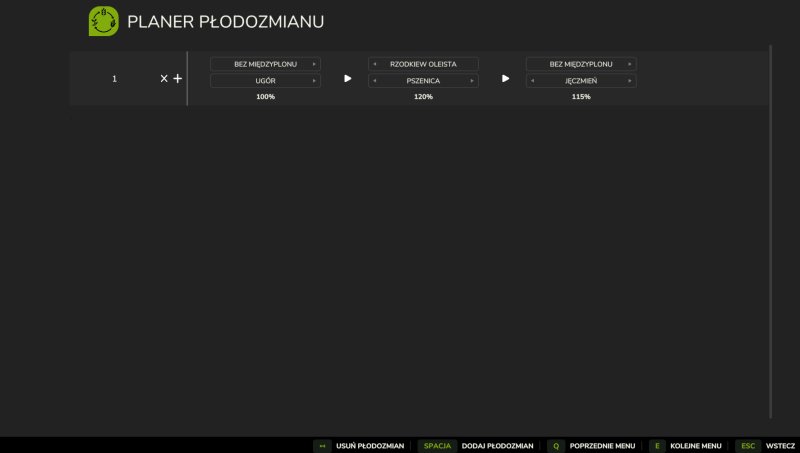
Gallery Description FS25 Crop Rotation Pl This is a Polish version of the “Crop Rotation” mod by Chissel. It does not change the original mod files – it only adds a Polish translation. The Polish version is unofficial, but fully functional and intended for Polish players. Credits Chissel Tlumaczenie - LiberoAro Uploaded by LiberoAro

Published: May 14, 2026

Downloads: 0Ratings: no votes yet.
0
Realistic Soil & Fertilizer

Realistic Soil & Fertilizer

Gallery Description FS25 Realistic Soil & Fertilizer v2.1.6.0 Realistic Soil & Fertilizer Mod for Farming Simulator 25 Adds meaningful depth to farming without overwhelming complexity. Every field has its own soil health — nitrogen, phosphorus, potassium, organic matter, and pH — that changes based on what you grow, what you apply, and what the weather does. Ignore your soil and yields will suffer. Manage it well and your farm runs more efficiently. SOIL NUTRIENTS Each field independently tracks five values: – Nitrogen (N) — depletes heavily from most crops, especially corn and canola – Phosphorus (P) — depletes more slowly, matters most for root crops – Potassium (K) — lost in large quantities with high-yield harvests; especially heavy for potatoes and sugarbeets – Organic Matter (OM) — improves long-term fertility; manure and compost build it up; chopped straw also contributes – pH — affects how well nutrients are absorbed; lime and gypsum adjust it Crops extract different amounts of each nutrient. Fallow fields slowly recover on their own. Legumes (soybeans, peas, beans) provide a spring nitrogen bonus. Growing the same crop consecutively increases nutrient extraction. FERTILIZER TYPES The mod supports all major fertilizer types used in the base game and common mods: Synthetic: – Liquid Fertilizer — balanced N/P/K, quick uptake – Solid Fertilizer — higher phosphorus, standard cost – Digestate — biogas byproduct, strong nitrogen and potassium – UAN28 / UAN32 — liquid nitrogen solutions – Anhydrous Ammonia — highest-concentration nitrogen source – AMS / Urea — dry and liquid nitrogen options – Starter Fertilizer — high-phosphorus pop-up fertilizer – MAP / DAP — phosphorus-heavy dry and liquid options – Potash — pure potassium source Organic: – Manure — slow-release, builds organic matter – Slurry — liquid organic, high in potassium – Compost — excellent organic matter boost – Biosolids — good all-around organic option – Chicken Manure — concentrated nutrients, builds organic matter – Pelletized Manure — processed for easier application pH Management: – Lime — raises pH significantly – Liquid Lime — slightly gentler than dry lime – Gypsum — lowers pH slightly, improves organic matter Crop Protection: – Insecticide — reduces pest pressure – Fungicide — reduces disease pressure Each type has realistic nutrient profiles with appropriate application rates in metric or imperial units. SPRAYER RATE CONTROL Control exactly how much fertilizer you apply per pass: – Rate Up / Rate Down keybindings let you adjust on the fly while in the cab – 20 stepped rate multipliers from 0.10x to 2.00x in 0.10 increments – Over-application risk: exceeding 1.25x risks pH and nitrogen burn; at 1.50x burn is guaranteed – Auto-Rate mode automatically sets the application rate based on how depleted the field is — heavy deficits get more, healthy soil gets less – Rate persists per vehicle so you don’t lose your setting when you get out YIELD PENALTY Low nutrient levels reduce yield. Fields need N, P, and K at or above the optimal threshold for full output. The further below that threshold, the larger the penalty — up to a hard cap depending on how demanding the crop is. PEST, WEED & DISEASE PRESSURE Fields track weed, pest, and disease pressure independently. Cultivation reduces weed and pest pressure. Plowing reduces pest and disease pressure more aggressively. Insecticide and fungicide applications reduce the respective pressures directly. HUD A real-time soil panel shows the current field’s nutrient levels at a glance: – 6 position presets (top right, top left, bottom right, bottom left, center right, or custom) – Custom position is draggable — put it exactly where you want it – 4 color themes: Green, Blue, Amber, Mono – 3 font sizes – 5 transparency levels – Compact mode for smaller displays – Toggle the HUD on/off with a keybinding – All HUD settings are per-player and don’t affect other pla

Published: May 13, 2026

Downloads: 0Ratings: no votes yet.
1
WayPoint GPS beta

WayPoint GPS beta

Gallery Description FS25 WayPoint GPS beta WayPoint GPS Beta is a standalone GPS route system for Farming Simulator 25. Open the full ESC map, hold CTRL, and click anywhere to set a GPS destination. WayPoint GPS will draw a route on the minimap and map screen, giving you a clean visual guide without requiring AutoDrive or Courseplay. This is a beta test release. It is being released for public testing and feedback before a wider release. Features: Standalone GPS route system CTRL-click destination setting on the ESC map Route line shown on the minimap and map screen AI-road-based routing with off-road/last-mile connectors Optional steering assist Customizable route line color Customizable waypoint pin color Adjustable route thickness and visibility Bindable controls in the controls menu Custom GPS waypoint marker Important: Pathing is guidance only and may not always be perfect, especially around bridges, islands, ferry crossings, yards, and off-road targets. Steering assist is experimental and is not an autopilot. Always check the route before driving and stay ready to steer or brake. Credits plutogaming91

Published: May 13, 2026

Downloads: 1Ratings: no votes yet.
0
Field Calculator

Field Calculator

Gallery Description FS25 Field Calculator The Field Calculator adds a handy overview of your fields to the game and helps you plan your seed, lime, fertilizer, and crop protection. For each of your fields, it clearly displays the estimated requirements in the menu, so you can better prepare for purchases and work assignments. It supports seeds, mineral fertilizers, liquid fertilizers, manure, slurry, fermentation residues, lime, and herbicides. The Field Calculator not only recognizes the game’s fertilizers, but also modmap-specific fertilizers, provided they are correctly implemented by the map. The mod works with or without Precision Farming. If Precision Farming is active, existing soil and sampling data are included in the calculation. This gives you a much more accurate estimate for your fields. For organic fertilizers, there is also a toggle switch that lets you switch the display between soil target and plant target. This allows you to better tailor the calculation to your playstyle and your desired fertilization approach. The herbicide display serves as a rough purchasing guide under Precision Farming and not as an exact needs calculation. This provides you with quick, clear, and practical assistance for your field planning on standard maps and mod maps. Credits [Weekend Farmers]

Published: May 12, 2026

Downloads: 0Ratings: no votes yet.