FS-Portal.euFS-Portal.euMod Catalog

In catalog

16,417

Farming Simulator versions

Mods

Categories

Useful things

883 mods

Browse 883 FS25 mods in Useful things with direct links to each mod page.

0
Player Workers

Player Workers

Gallery Description FS25 Player Workers Description: Player Workers makes hired AI workers use the same visible character style as the local player whenever a helper takes control of a vehicle. This is intended as a visual authenticity tool for videos, screenshots, roleplay scenes, and farm story content. Helpers appear with the player’s selected character style, which keeps recorded farm scenes more consistent. The mod does not add custom clothing, replace base game character files, or alter gameplay balance. Hotkeys: None required. Platform: PC script mod only. Credits Plutogaming91

Published: May 12, 2026

Downloads: 0Ratings: no votes yet.
0
Chat Window Adjuster

Chat Window Adjuster

Gallery Description FS25 Chat Window Adjuster With this mod, you can override the base game chat window in two ways. You can adjust the readable chat size with three larger options: 125%, 150%, and 160%. You can adjust how long the visible chat HUD stays on screen from the base game 10 seconds to 15 or 20 seconds. This mod is designed as a quality of life script to assist those of us who may suffer from visual deficiencies or a language barrier and need a larger, longer-lasting visual chat HUD. I hope this helps those who use it and brings joy to playing this game we all have a passion for. For support, bug reports, or fixes, please use the official GIANTS Forum or the GitHub repository: https://github.com/HammaneggsModding/FS25_ChatWindowDisplayAdjuster Credits Hammaneggs Modding

Published: May 12, 2026

Downloads: 0Ratings: no votes yet.
1
Automatic Tramline System

Automatic Tramline System

Gallery Description FS25 Automatic Tramline System v1.3.0.0 Tramline Automation for FS25 This is my first script mod for FS25. Since the tramlines from Precision Farming did not always convince me. It automatically integrates into all implements that can be used as seeders. The HUD can be controlled with the mouse, which can be activated via an assigned key. Set Tramline Distance: Here you set the working width of the sprayer or fertilizer spreader. This can either be adjusted using two assigned keys or by clicking the plus and minus buttons with the mouse. Rhythm: Here you can see the number of passes required for one working width of the sprayer or fertilizer spreader. In Semiautomatic mode, the current pass can be adjusted with + and – if necessary. I refer here to the help pages now available in the game in the ESC menu. The half pass should only be done on the second pass. If you are using GPS and a half pass is required, it should look like this: First pass normal. Starting from the second pass, set an offset of half the working width in the GPS menu. See the description further below under GPS Offset Mode. Mode: The active working mode of the tramline automation can be changed either via an assigned key or with the mouse by clicking on the selected mode. Pause: No tramlines will be created. The counter is paused. Always: Tramlines are always active when the implement is lowered. GPS: Automatic track detection via GIANTS Steering Assist. At the beginning, a reference track must be set. This can be done using an assigned key. Semiautomatic: Counting is done by raising/lowering the implement. The symbol behind it indicates whether a tramline is currently being created or not. Enhanced Vehicle GPS: Automatic Lane Detection Via the Enhanced Vehicle GPS, this mode is only available when an Enhanced Vehicle GPS course is active. The current pass can be adjusted using the plus and minus buttons if it does not match. Courseplay: This mode is only available if Courseplay is installed. Please read the help page for this! GPS Offset: Requirement: GPS mode Since with an even rhythm number you must work with half the working width on the first pass, you can set the offset so the track does not start jumping. This value can either be adjusted via an assigned key or with the mouse using the + and – buttons next to the rhythm. In GPS mode, these buttons are repurposed to increase or decrease the GPS offset. Track Width: Here you can see the configured tramline track width. This can be adjusted with two assigned keys or by clicking the plus and minus buttons with the mouse to match the track width of the crop care tractor, because smaller tractors have a narrower track width than larger tractors. Buttons: Tramline distance +/-: Increase or decrease the tramline distance CURSOR ON/OFF: Show or hide the mouse pointer Tramline Mode switch: Switch the tramline mode GPS reference Lane set: Sets the GPS reference track reference -½ lane or reference +½ lane: Move the GPS reference track half the working width to the right or left Track width +/-: Adjusts the track width from 1m to 6m Changelog 1.1.0.0: Fixed a HUD bug where the HUD was displayed for everyone on a dedicated server even though only one person was in the seeder Fixed a bug where the HUD wasn’t always displayed when too many keys were in the F1 menu. Changelog 1.2.0.0: Courseplay support added with new mode “Courseplay” Enhanced Vehicle GPS support added with new mode “Enhanced Vehicle GPS” Help page added in the ESC menu where you can read what each mode does and how it works, including a graphic for tramline distances Two hectare counters added, one of which can be reset — a key must be assigned for this The HUD has been removed from the F1 display and added as its own HUD, as it caused too many problems The HUD can be moved and closed with the mouse and reopened with the mouse cursor toggle key The values and HUD positi

Published: May 12, 2026

Downloads: 1Ratings: no votes yet.
0
Shader rydane.agrii

Shader rydane.agrii

Gallery Description FS25 Shader rydane.agrii My shader to put in the x64 of the game. Enjoy! If you need help my tiktok: @rydane4 Credits rydaneagrii

Published: May 12, 2026

Downloads: 0Ratings: no votes yet.
0
Construction Helper

Construction Helper

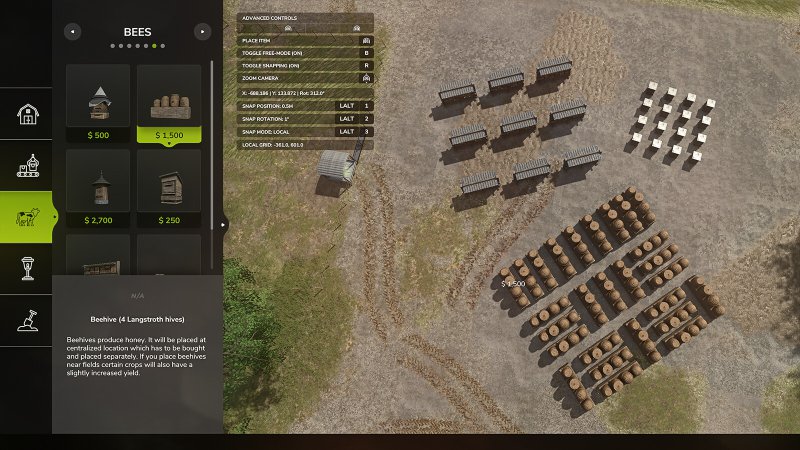
Gallery Description FS25 Construction Helper Construction Helper enhances the building placement experience by providing precise coordinate display and advanced snapping controls. FEATURES: • Real-time coordinate display (X, Z position and rotation) in the construction HUD with 3-decimal precision • Customizable position snapping increments: 0.1m, 0.25m, 0.5m, 1.0m, 2.5m, 5.0m • Customizable rotation snapping increments: 1°, 5°, 10°, 15°, 30°, 45° • Local/Relative snap mode – entire grid rotates with building angle for perfect parallel alignment at any rotation DEFAULT KEYBINDS: • LALT + 1: Cycle Position Snap – Change position grid size • LALT + 2: Cycle Rotation Snap – Change rotation angle step • LALT + 3: Toggle Local Snap Mode – Switch between world grid and building-relative snapping All keybinds can be customized in Settings > Controls. GLOBAL vs LOCAL SNAP MODE: • Global Mode: Building snaps to world X/Z coordinate grid (best for 90° aligned placements) • Local Mode: Entire snapping grid rotates with the building – objects placed at the same local grid coordinates will form perfectly parallel lines in world space, regardless of rotation angle. Ideal for creating aligned rows of buildings at any angle (30°, 45°, 60°, etc.) HOW LOCAL MODE WORKS: When placing multiple objects at the same rotation (e.g., 30°), they will align in straight lines parallel to each other. The grid rotates rigidly with your building, so objects placed at local grid positions (3,0), (6,0), (9,0) will form a straight line at 30° in world space. GitHub link: https://github.com/gingerskull/FS25-ConstructionHelper Credits gingerskull

Published: May 11, 2026

Downloads: 0Ratings: no votes yet.

0
Push Bales

Push Bales

Gallery Description FS25 Push Bales With this mod, you can easily roll your bale slightly to the left or right and (after assigning a key) tip it over. Do you sometimes have the problem that you only want to roll your bale a small distance? Then this mod is exactly what you need. It allows you to move your bale left or right—or forward and backward—depending on the direction, with a mouse click. And here’s how it works: -Look at the bale -In the context menu, two new options should appear: “Move Bale (1)” & “Move Bale (2)” (default keys: left mouse button & right mouse button) -By pressing the respective button, the bale will—hopefully—move -By assigning a key, you can also tip it over Multiplayer is NOT supported yet!! But it will be added in the first update. Credits x_xmarleyy

Published: May 11, 2026

Downloads: 0Ratings: no votes yet.

0
Toggle Fertilizer On/Off

Toggle Fertilizer On/Off

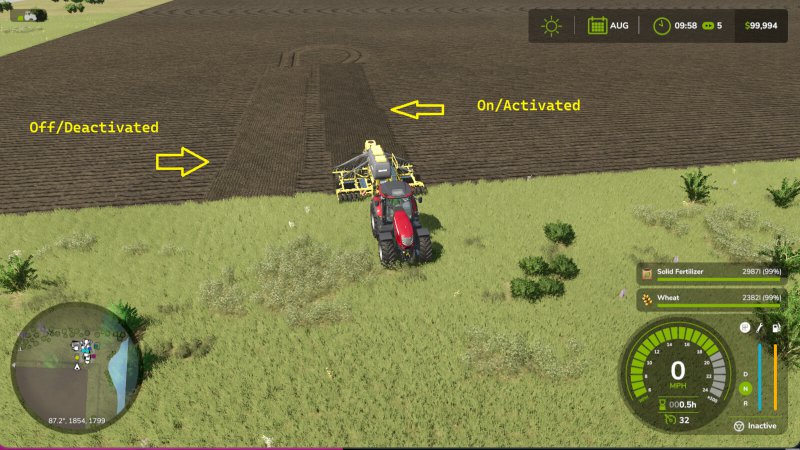
Gallery Description FS25 Toggle Fertilizer On/Off Toggle Fertilizer On/Off – The default key bind is F3. You can change this to any key bind of your liking. – The base game AI worker will not complete a sowing task of any kind if your implement has an empty fertilizer capacity. With this mod the tank can be empty and they will complete the sowing task or mission as long as Toggle Fertilizer is turned off. You will see it in the F1 Help Menu. If you start an AI helper and you realize that you didn’t want to have fertilizer applied, you can turn it off while the helper is hired. No need to fire the helper and rehire them. This can be done at any time whether the implement is in operation or not. No need to empty your fertilizer from your sowing implement anymore when you don’t want it applied. This eliminates wasted fertilizer when it is not needed. – This mod has been tested in both single player and multiplayer settings. – For bug reports, questions or comments please use GitHub: https://github.com/HammaneggsModding/FS25_ToggleFertilizer/issues Happy Farming!! Credits Hammaneggs Modding

Published: May 11, 2026

Downloads: 0Ratings: no votes yet.

0
Animals: Trailer Only

Animals: Trailer Only

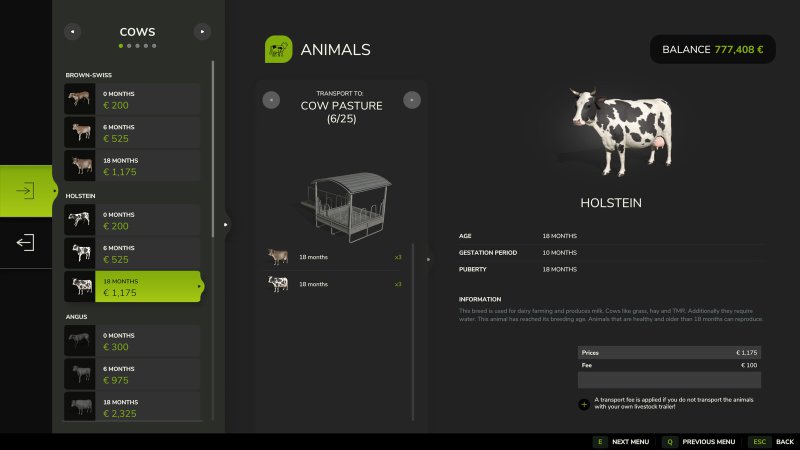
Gallery Description FS25 Animals: Trailer Only Forces realistic animal transport. No more direct dealer-to-barn buying — animals only travel by livestock trailer. How it works: – Without a trailer: the buy UI is hidden at the dealer and at your own barn. Viewing and selling still work. – With a trailer: vanilla behaviour. Animals go into the trailer and you drive them home yourself. Multiplayer-safe: the server enforces the rule via AnimalBuyEvent, so a modified client cannot bypass the hidden UI. Whitelist: chickens (and rabbits) are exempt by default, since the base game has no transport trailer for them. Editable in scripts/animalsTrailerOnly.lua. Credits [FD]Aekzl|Sash

Published: May 11, 2026

Downloads: 0Ratings: no votes yet.
0
Price Menu Filters

Price Menu Filters

Gallery Description FS25 Price Menu Filters Are you tired of never being able to find an item in the price menu? This mod inserts some filters onto the in-game menu Prices page to allow the product list to be filtered down to various categories. Additionally you have the ability to make your own filter items using a file in the modsettings folder. Credits Reddog

Published: May 11, 2026

Downloads: 0Ratings: no votes yet.
0
Grab Objects More Precisely

Grab Objects More Precisely

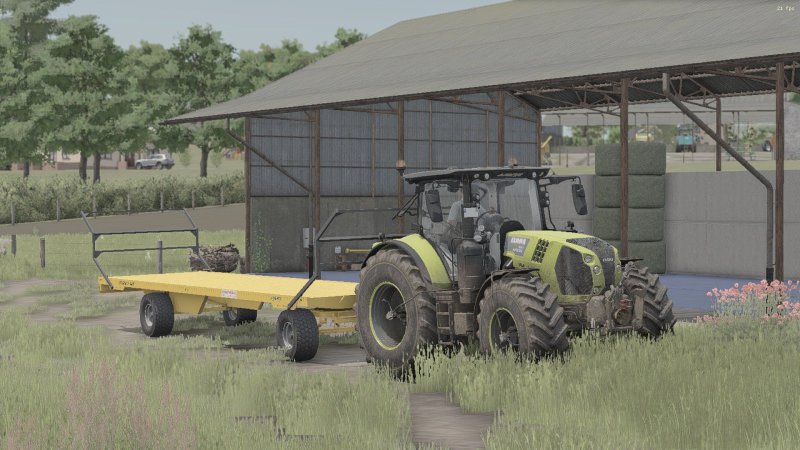
Gallery Description FS25 Grab Objects More Precisely Currently, only the first component of an object can be grabbed, which is changed with this mod. All the pictures were taken with active super strength. Credits [AGDM]Haubi

Published: May 11, 2026

Downloads: 0Ratings: no votes yet.