FS-Portal.euFS-Portal.euMod Catalog

In catalog

16,436

Farming Simulator versions

Mods

Categories

Useful things

883 mods

Browse 883 FS25 mods in Useful things with direct links to each mod page.

0
CoursePlay

CoursePlay

Gallery Description FS25 CoursePlay v8.1.0.3 Courseplay FS25 Courseplay for Farming Simulator 25 is a long-standing and powerful automation mod that has been a staple in the Farming Simulator community for nearly 15 years. Originally developed for earlier versions of the game, Courseplay has continually evolved, offering features far beyond the capabilities of the base game’s AI. – Fully customizable course generation and editing, – Multiple vehicles work together on the same field, – Automated harvesting and unloading, – Bale collection and wrapping, – Support for vineyards and specialty crops, – Harvester self-unload, – Pick up heaps on the field or empty bunker silos with loaders or shovels, – Bunker silo push and compaction. It also integrates seamlessly with other mods like AutoDrive, making it ideal for managing large-scale farms. Despite improvements to the in-game AI over the years, Courseplay remains the gold standard for automation in Farming Simulator, thanks to its flexibility, reliability, and active development community. For a link to our latest release, Help page and GitHub page where you can find more information, help, and report issues please visit Courseplay Website or go directly to our GitHub page. Many thanks to our translators and to our community for reporting bugs, giving us feedback and great ideas. Changelog 8.0.0.0: – Initial FS25 migration Changelog 8.1.0.0 – UI rework – Same great functionality as in FS22 – Course Editor got its own construction screen – New loop turn for headland for towed tools that can’t be driven in reverse, like a seeder with grain cart (can be turned on in the vehicle settings) – Faster pathfinding using jump point search – Requires the latest game patch Changelog 8.1.0.3 – MP fix when starting a helper with an implements that is already unfolded. – Several bugfixes. Credits Courseplay.devTeam

Published: Feb 11, 2026
Downloads: 0Ratings: no votes yet.
0
PixelekYT lighting

PixelekYT lighting

Gallery Description FS25 PixelekYT lighting For the lighting to work, put it in config and Additionally, nvidia filters are settings for color from the top in order 33 28 10 0 And here, in order: Exposure/contrast -10 -26 -64 -34 Credits Olo2709

Published: Feb 11, 2026

Downloads: 0Ratings: no votes yet.
0
Work Tool Positioner

Work Tool Positioner

Gallery Description FS25 Work Tool Positioner Save and restore tool positions on loaders, excavators, and tractors. Easily manage your equipment’s work state by capturing and smoothly restoring complex tool configurations. Features include a management dialog (LCTRL+Z), multiplayer support, and independent single-tool control (Z). Hotkeys: – Press Z key to restore the last moved tool position. – Hold Z key to save the last moved tool position. – Press LCTRL + Z to restore all saved tool positions. – Hold LCTRL + Z to save current tool positions and open the management dialog. For more information or to report a bug, please visit GitHub (modnext/workToolPositioner). Credits aaw3k

Published: Feb 9, 2026

Downloads: 0Ratings: no votes yet.
0
Adjust Tramlines For Missions

Adjust Tramlines For Missions

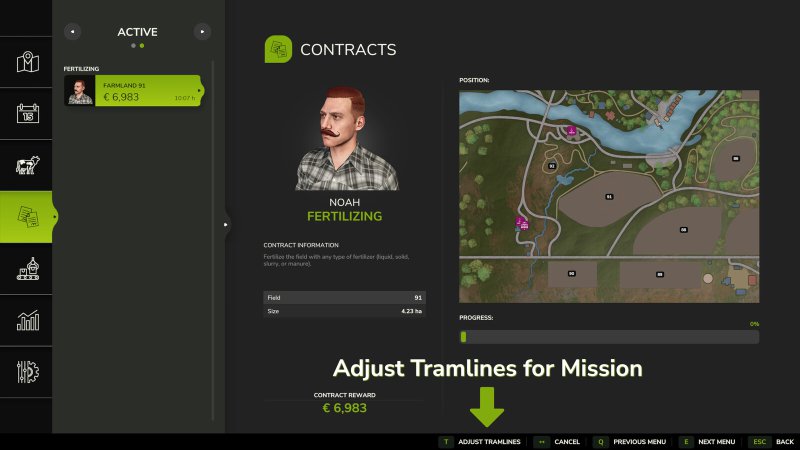
Gallery Description FS25 Adjust Tramlines For Missions This mod allows you to adjust the tramlines on mission fields to match your own machines or working widths of rented mission vehicles. When accepting a field mission (fertilizing, spraying, hoeing, weeding) in the mission menu, an additional window appears for supported crop types that allows you to adjust the tramlines. It is also possible to adjust the tramlines for missions that have already been accepted but not yet started (progress at 0%). This adjustment can be made in the active missions menu. When purchasing a field, it is also possible to make a one-time adjustment of the tramlines to match your own machines. This change takes effect immediately. Later adjustments are still possible via the regular Precision Farming menu, but without immediate effect, but according to the usual handling of Precision Farming. The mod also adds the console command “pfTramlineReset “, which resets the tramlines of a field. The field will then be completely covered with the current crop type again. In addition, the console command “pfTramlineSet ” from PrecisionFarming is unlocked for multiplayer, which can be used to set tramlines on a field. Credits BayernGamers

Published: Feb 9, 2026

Downloads: 0Ratings: no votes yet.
0
Vehicle Years

Vehicle Years

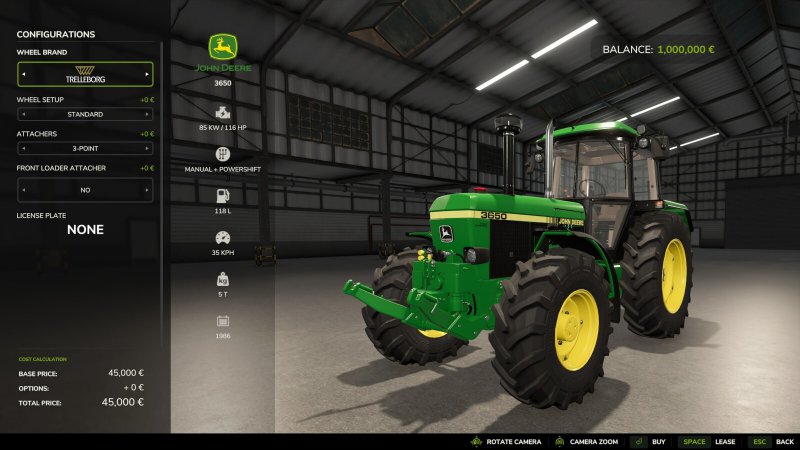
Gallery Description FS25 Vehicle Years v1.0.0.6 This adds realstic vehicle years to all vehicles including attachments. The years provided for each vehicles has been manually added with best effort, but there are sure to be missing or wrong years for some vehicles and attachments. Similarly not all vehicles have yet been assigned a year, and as new mods will be added, they will also be missing it, until this mod and its data is updated. If you want to add a year to your own mod without waiting for this mod to add it, or if you want to correct the year on your mod without modifying the data of this mod, you can always add the year yourself, simply by adding the “storeItem.specs.year” value yourself, as this mod only adds it if it is missing. See https://gitlab.com/thalley/fs25_vehicle_years/ for a short guide on how to. Please report or correct any incorrect or missing years to the project on Gitlab: https://gitlab.com/thalley/fs25_vehicle_years. Here you will also find guides on how to add your own years to your mods, as well as downloadable bundles of mods (meta-mods) such as the 1970s, 1980s, etc. Changelog: 1.0.0.1 Added support for all Modhub mods per 2025-02-11 Changelog: 1.0.0.2 Added support for all Modhub mods per 2025-05-25 Added support for the NEXAT, MacDon and Precision Farming DLCs Changelog: 1.0.0.3 Added support for all Modhub mods per 2025-07-14 Changelog: 1.0.0.4 Added support for all Modhub mods per 2025-10-04 Changelog: 1.0.0.5 Added support for all Modhub mods per 2025-11-09 Added support for all DLCs per 2025-11-09 Changelog: 1.0.0.6 Added support for all Modhub mods per 2026-01-26 Credits Thalley

Published: Feb 9, 2026

Downloads: 0Ratings: no votes yet.
0
Fast Discharge And Capacity Boost

Fast Discharge And Capacity Boost

Gallery Description FS25 Fast Discharge And Capacity Boost v1.0.1.0 Fast Discharge and Capacity Boost is a Quality-of-Life enhancement for Farming Simulator 25 that allows players to unload any dischargeable vehicle significantly faster and optionally increase its fill capacity. Perfect for large harvest operations, grain cart work, production chains, and faster unloading at storage points. changelog v1.0.1.0 – Fixed an issue where some modded buckets and tools could revert to default weight behaviour when the mod was installed. – Improved compatibility with high-capacity dischargeable tools. – Added additional mulitipliers 50 and 100 for unrialisctic play style Features Adjustable discharge speed multiplier: 1X / 1.25X / 2X / 2.5X / 3X / 5X / 10X / 50X / 100X Adjustable capacity multiplier using the same scale Both systems use a single ON/OFF toggle for easy operation Real-time HUD showing: Current discharge multiplier Current capacity multiplier Live discharge rate (L/s) Calculated boosted capacity based on the selected multiplier Fully compatible with all trailers, combines, auger wagons, forage wagons, conveyors, etc. Does not modify fuel, DEF, or any non-material fill units Zero-impact on physics (safe weight handling) Default Keybinds Toggle Boost ON/OFF: Left ALT + B Increase Discharge Multiplier: Left ALT + N Increase Capacity Multiplier: Left ALT + M Credits Backyard Gaming

Published: Feb 9, 2026

Downloads: 0Ratings: no votes yet.
0
Bank Balance Earns Interest

Bank Balance Earns Interest

Gallery Description FS25 Bank Balance Earns Interest v1.1.0.0 Adds interest calculations so that a farm’s bank balance earns interest at the beginning of every month. The interest is included in the “miscellaneous” subtotal on the finances screen. The default rate is 1% APY. Two dev console commands have been added to control the interest rate: `biSetInterestRate ` – allows the modification of the interest rate. ex: `biSetInterestRate 0.01` would set the interest rate to the default. `biGetInterestRate` – prints the current interest rate to the console. GitHub: https://github.com/EvanKirsch/fs25_bankAccountInterest Changelog — 1.1.0.0 – Removes unnecessary global variables Credits Evan Kirsch

Published: Feb 9, 2026

Downloads: 0Ratings: no votes yet.
0
Lighting

Lighting

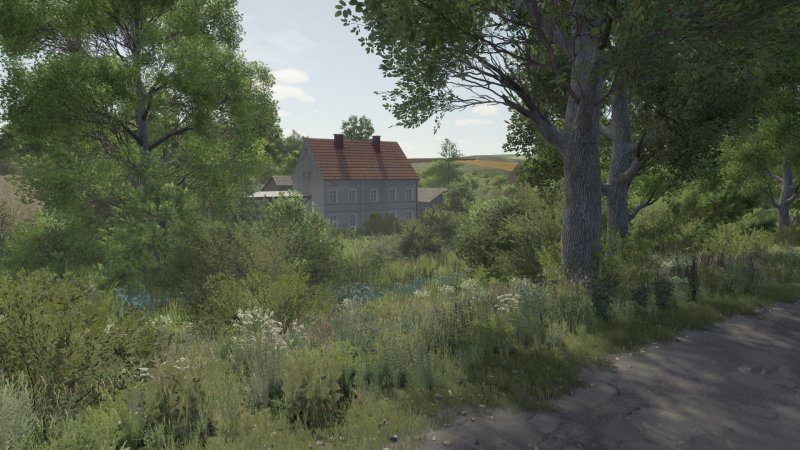
Gallery Description FS25 Lighting I’m giving you the lighting that several people have been asking about. I hope you’ll figure out how to add it because I didn’t feel like writing instructions. (Don’t look at the screenshots, as it depends on the season and cloud cover in the game.) IT IS MANDATORY TO SET THE IN-GAME BRIGHTNESS TO 0.8 Credits danio2008 Uploaded by danio2008

Published: Feb 9, 2026

Downloads: 0Ratings: no votes yet.
0
Vehicle Control Addon

Vehicle Control Addon

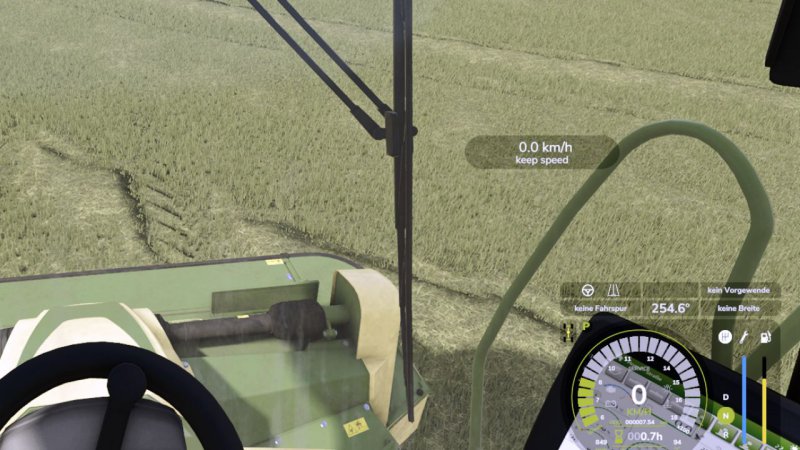
Gallery Description FS25 Vehicle Control Addon The vehicle control extension (VCA) combines many functions in one modification. Most features are turned off by default. VCA can automatically adjust the camera direction to the steering angle and direction of travel. So you always look in the direction you are driving. With the standard key combinations RShift and the arrow keys you can briefly look in the corresponding direction. The adaptive steering is intended for keyboard players. VCA can adjust the steering speed according to the speed of the vehicle. The vehicle control extension also includes simple lane guidance. If you press Ctrl Left together with W, the direction of travel is aligned with fixed directions. All functions can also be switched off again using the following buttons: [Ctrl Left + C]: Settings [Ctrl Left + W]: Continue grid control [Alt Left + W]: Restart grid control [Shift Right]: Accelerator pedal limiter / reduced cruise control speed [Shift Right + Arrow Key]: Look forward, back, left, right (Control should be approximately like in the LS22, if that’s not the case, just add your own assignment) Credits Jannik7755365

Published: Feb 8, 2026

Downloads: 0Ratings: no votes yet.
0
Shader K793a Part 2

Shader K793a Part 2

Gallery Description FS25 Shader K793a Part 2 v1.0.0.1 Shader installation & settings Here you will find all the information you need to use the shader correctly. Please note that this shader is exclusively available here and may not be shared on other Discord servers or platforms. ​ This is how you set the shader correctly: Download the ZIP file. This package includes both the shader and the appropriate environment. ​Unzip: First you have to unzip the ZIP file on your computer and then put the individual shader into the x64 folder. ​Game settings: In order for the shader to look like it does in the pictures, additional game settings are mandatory. The supplied environment must be set correctly in the game: (Copy the 3 files with the lighting settings into the following deposit: (and then select the additional game settings in Game: Lighting: folder) Documents\My Games\FarmingSimulator2025\modSettings\FS25_additionalGameSettings\lighting) ​Help: If you have problems setting it up, there are numerous tutorials on YouTube that explain step by step how to configure the environment and shader options. ​Have fun with the new look! ​LG K793a Credits Hansa

Published: Feb 7, 2026

Downloads: 0Ratings: no votes yet.