FS-Portal.euFS-Portal.euMod Catalog

In catalog

16,417

Farming Simulator versions

Mods

Categories

Maps, objects, textures

7 subcategories • 3424 mods

Browse 3424 FS25 mods in Maps, objects, textures plus 7 subcategories for faster discovery.

All mods in this section

3424 mods

0
Odtwarzacz dźwięku

Odtwarzacz dźwięku

Mod do gry Farming Simulator 25 dodający soundbar gracza. Mod umożliwia odtwarzanie krótkich dźwięków. Zarządzanie Prawy Ctrl + \ - otwórz listwę dźwiękową. Prawy Ctrl + NumPad 1–9 – odtwarzaj dźwięk z wybranego slotu. Prawy Ctrl + NumPad 0 – odtwórz losowy dźwięk. Przyciski można zmienić w ustawieniach sterowania grą. Jak działa soundbar? W panelu możesz przypisać dowolny dostępny dźwięk do jednego z 9 slotów. Po skonfigurowaniu automatu możesz szybko w niego zagrać za pomocą klawiszy skrótu. Przycisk Reset resetuje gniazda do wartości standardowych. Przycisk OK zapisuje ustawienia i zamyka okno. Brzmi Lista dźwięków ładowana jest z pliku: dźwięki/dźwięki.xml W razie potrzeby możesz zastąpić dźwięki własnymi!

Published: May 12, 2026

Downloads: 0Ratings: no votes yet.
0
American Building Pack Pt2

American Building Pack Pt2

Gallery Description FS25 American Building Pack Pt2 American Building Pack Pack contains 5 buildings: – Farmhouse – Big barn with AutoLoad (500 slots) – Small barn with AutoLoad (200 slots) – Shed – Car garage Category: Sheds, Storages, Farmhouses Configuration: Color Price: 10.000$ – 85.000$ Daily maintenance costs: 1$ Credits ikas

Published: May 12, 2026

Downloads: 0Ratings: no votes yet.
0
Autoload Pallet Storage

Autoload Pallet Storage

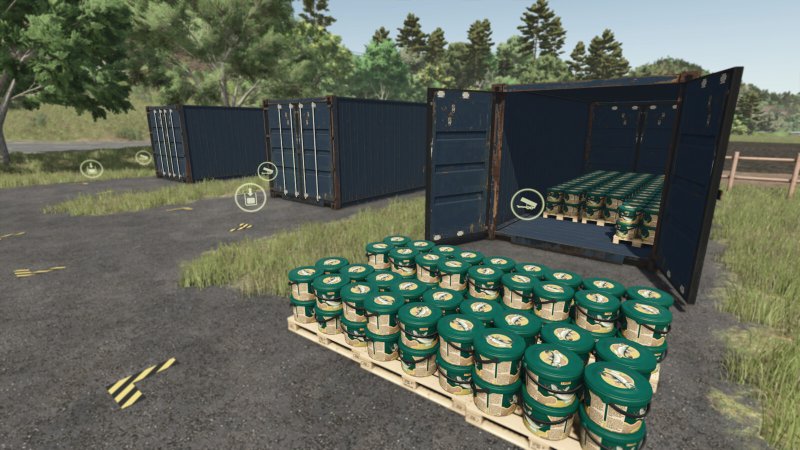
Gallery Description FS25 Autoload Pallet Storage Category: Storages Price: $5,000 Daily upkeep: $30 The Autoload pallet storage mod allows you to store pallets automatically. With this mod, up to 50 pallets can be stored. Credits AgriKevolution

Published: May 12, 2026

Downloads: 0Ratings: no votes yet.
0
Pallet And Bale Storage

Pallet And Bale Storage

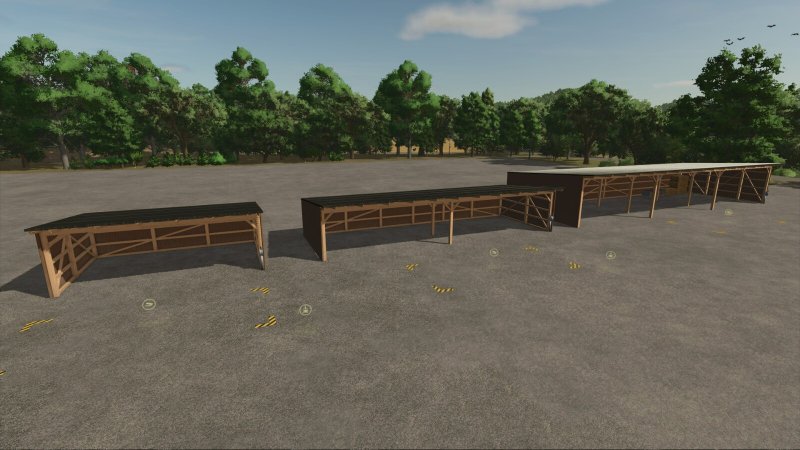
Gallery Description FS25 Pallet And Bale Storage This mod includes three pallet and bale storage sheds in different sizes and capacities, ranging from 150 to 500 pallets or bales. You can lower the collision barrier within these storage buildings using a large switch, allowing you to enter and drive inside. All three buildings are also available as simple shelters without storage functionality. All buildings offer color choice for the wooden plank walls. Small Bale and Pallet Storage Category: Storages Price: $3,000 Daily upkeep: $5 Bale and Pallet Storage Category: Storages Price: $5,000 Daily upkeep: $5 Large Bale and Pallet Storage Category: Storages Price: $8,000 Daily upkeep: $5 Small Shed Category: Sheds Price: $2,000 Daily upkeep: $5 Medium sized Shed Category: Sheds Price: $4,000 Daily upkeep: $5 Large Shed Category: Sheds Price: $7,000 Daily upkeep: $5 Credits OmaTana

Published: May 12, 2026

Downloads: 0Ratings: no votes yet.
0
Field Calculator

Field Calculator

Gallery Description FS25 Field Calculator The Field Calculator adds a handy overview of your fields to the game and helps you plan your seed, lime, fertilizer, and crop protection. For each of your fields, it clearly displays the estimated requirements in the menu, so you can better prepare for purchases and work assignments. It supports seeds, mineral fertilizers, liquid fertilizers, manure, slurry, fermentation residues, lime, and herbicides. The Field Calculator not only recognizes the game’s fertilizers, but also modmap-specific fertilizers, provided they are correctly implemented by the map. The mod works with or without Precision Farming. If Precision Farming is active, existing soil and sampling data are included in the calculation. This gives you a much more accurate estimate for your fields. For organic fertilizers, there is also a toggle switch that lets you switch the display between soil target and plant target. This allows you to better tailor the calculation to your playstyle and your desired fertilization approach. The herbicide display serves as a rough purchasing guide under Precision Farming and not as an exact needs calculation. This provides you with quick, clear, and practical assistance for your field planning on standard maps and mod maps. Credits [Weekend Farmers]

Published: May 12, 2026

Downloads: 0Ratings: no votes yet.
0
Player Workers

Player Workers

Gallery Description FS25 Player Workers Description: Player Workers makes hired AI workers use the same visible character style as the local player whenever a helper takes control of a vehicle. This is intended as a visual authenticity tool for videos, screenshots, roleplay scenes, and farm story content. Helpers appear with the player’s selected character style, which keeps recorded farm scenes more consistent. The mod does not add custom clothing, replace base game character files, or alter gameplay balance. Hotkeys: None required. Platform: PC script mod only. Credits Plutogaming91

Published: May 12, 2026

Downloads: 0Ratings: no votes yet.
0
Chat Window Adjuster

Chat Window Adjuster

Gallery Description FS25 Chat Window Adjuster With this mod, you can override the base game chat window in two ways. You can adjust the readable chat size with three larger options: 125%, 150%, and 160%. You can adjust how long the visible chat HUD stays on screen from the base game 10 seconds to 15 or 20 seconds. This mod is designed as a quality of life script to assist those of us who may suffer from visual deficiencies or a language barrier and need a larger, longer-lasting visual chat HUD. I hope this helps those who use it and brings joy to playing this game we all have a passion for. For support, bug reports, or fixes, please use the official GIANTS Forum or the GitHub repository: https://github.com/HammaneggsModding/FS25_ChatWindowDisplayAdjuster Credits Hammaneggs Modding

Published: May 12, 2026

Downloads: 0Ratings: no votes yet.
1
Osweiler

Osweiler

Gallery Description FS25 Osweiler v1.1.0.1 Welcome to the Osweiler Map! Or as they say here: “Moien a wëllkomm zu Uesweiler!” This map takes you to the idyllic Osweiler, a small village in eastern Luxembourg (commune of Rosport-Mompach), surrounded by gentle forests and wide fields. In Luxembourg, farming is modern, with large machines, strong farms and extensive use of technology, which makes working on the fields especially exciting. Immerse yourself in the charm of Luxembourg – between agriculture, nature and community. Have fun exploring! What you can expect on the map: – Multifruit – Stubble destruction – Productions Changelog 1.0.1.0: – Field grass yield increased – Field grass harvest states and time adjusted – Help page for field grass added – Fixed error with vehicle trigger at shop – Fixed additional errors Changelog 1.1.0.0 (new SAVEGAME needed): – Cotton/rice/long-grain rice/sugarcan cannot be planted due to the local climate – Fixed Help page percentage missmatch – Fixed collision of BGA concrete – Added Spelt/Triticale/Rye to grainmill production – Fixed terrain at grainmill – Added animal trader – Added pedestrian – Added Row-Crop Changelog 1.1.0.1: – Fixed some floating trees – Store spawn trigger moved to make room for bigger veihicles at shop – Log Warnings in connection with Vredo DLC fixed Credits SZLM

Published: May 12, 2026

Downloads: 1Ratings: no votes yet.
1
Automatic Tramline System

Automatic Tramline System

Gallery Description FS25 Automatic Tramline System v1.3.0.0 Tramline Automation for FS25 This is my first script mod for FS25. Since the tramlines from Precision Farming did not always convince me. It automatically integrates into all implements that can be used as seeders. The HUD can be controlled with the mouse, which can be activated via an assigned key. Set Tramline Distance: Here you set the working width of the sprayer or fertilizer spreader. This can either be adjusted using two assigned keys or by clicking the plus and minus buttons with the mouse. Rhythm: Here you can see the number of passes required for one working width of the sprayer or fertilizer spreader. In Semiautomatic mode, the current pass can be adjusted with + and – if necessary. I refer here to the help pages now available in the game in the ESC menu. The half pass should only be done on the second pass. If you are using GPS and a half pass is required, it should look like this: First pass normal. Starting from the second pass, set an offset of half the working width in the GPS menu. See the description further below under GPS Offset Mode. Mode: The active working mode of the tramline automation can be changed either via an assigned key or with the mouse by clicking on the selected mode. Pause: No tramlines will be created. The counter is paused. Always: Tramlines are always active when the implement is lowered. GPS: Automatic track detection via GIANTS Steering Assist. At the beginning, a reference track must be set. This can be done using an assigned key. Semiautomatic: Counting is done by raising/lowering the implement. The symbol behind it indicates whether a tramline is currently being created or not. Enhanced Vehicle GPS: Automatic Lane Detection Via the Enhanced Vehicle GPS, this mode is only available when an Enhanced Vehicle GPS course is active. The current pass can be adjusted using the plus and minus buttons if it does not match. Courseplay: This mode is only available if Courseplay is installed. Please read the help page for this! GPS Offset: Requirement: GPS mode Since with an even rhythm number you must work with half the working width on the first pass, you can set the offset so the track does not start jumping. This value can either be adjusted via an assigned key or with the mouse using the + and – buttons next to the rhythm. In GPS mode, these buttons are repurposed to increase or decrease the GPS offset. Track Width: Here you can see the configured tramline track width. This can be adjusted with two assigned keys or by clicking the plus and minus buttons with the mouse to match the track width of the crop care tractor, because smaller tractors have a narrower track width than larger tractors. Buttons: Tramline distance +/-: Increase or decrease the tramline distance CURSOR ON/OFF: Show or hide the mouse pointer Tramline Mode switch: Switch the tramline mode GPS reference Lane set: Sets the GPS reference track reference -½ lane or reference +½ lane: Move the GPS reference track half the working width to the right or left Track width +/-: Adjusts the track width from 1m to 6m Changelog 1.1.0.0: Fixed a HUD bug where the HUD was displayed for everyone on a dedicated server even though only one person was in the seeder Fixed a bug where the HUD wasn’t always displayed when too many keys were in the F1 menu. Changelog 1.2.0.0: Courseplay support added with new mode “Courseplay” Enhanced Vehicle GPS support added with new mode “Enhanced Vehicle GPS” Help page added in the ESC menu where you can read what each mode does and how it works, including a graphic for tramline distances Two hectare counters added, one of which can be reset — a key must be assigned for this The HUD has been removed from the F1 display and added as its own HUD, as it caused too many problems The HUD can be moved and closed with the mouse and reopened with the mouse cursor toggle key The values and HUD positi

Published: May 12, 2026

Downloads: 1Ratings: no votes yet.
0
Stacja mycia

Stacja mycia

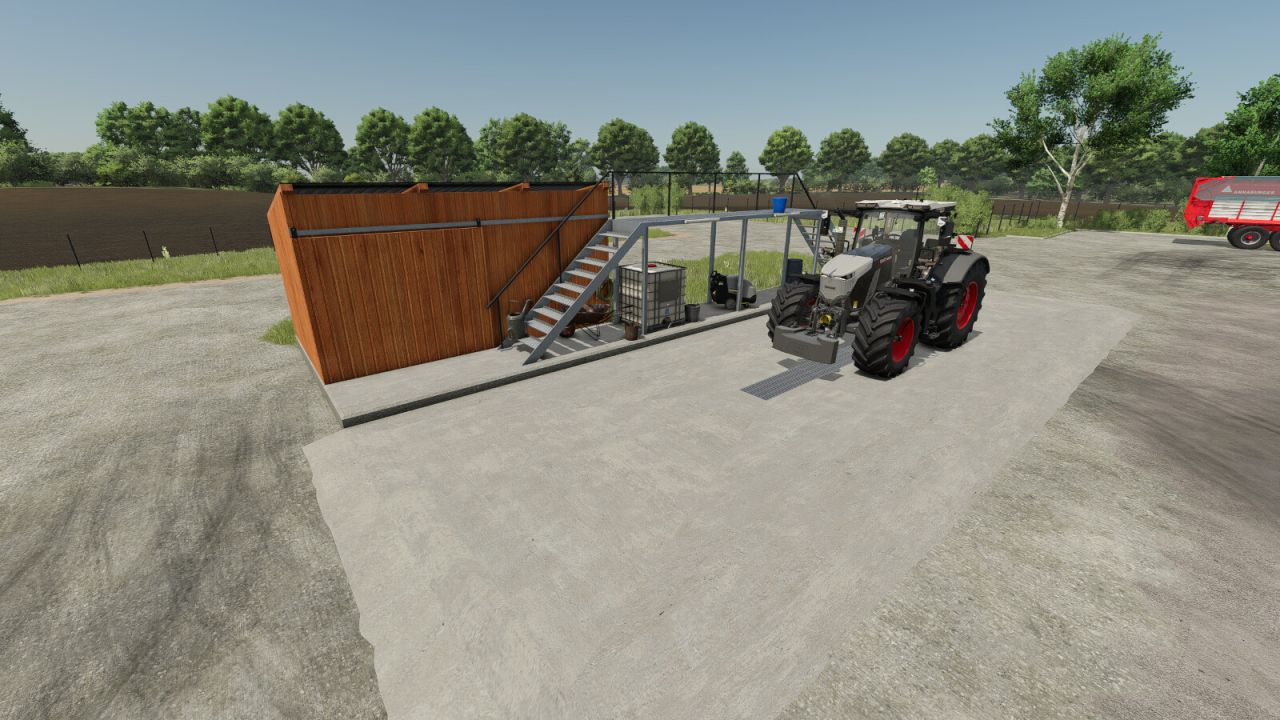
Stacja myjąca: Cena: 15 000 dolarów Utrzymanie dziennie 20 USD Kładka: Cena: 5000 dolarów Utrzymanie dziennie 5 USD Kärcher z BaseGame należy rozmieścić samodzielnie.

Published: May 12, 2026

Downloads: 0Ratings: no votes yet.